
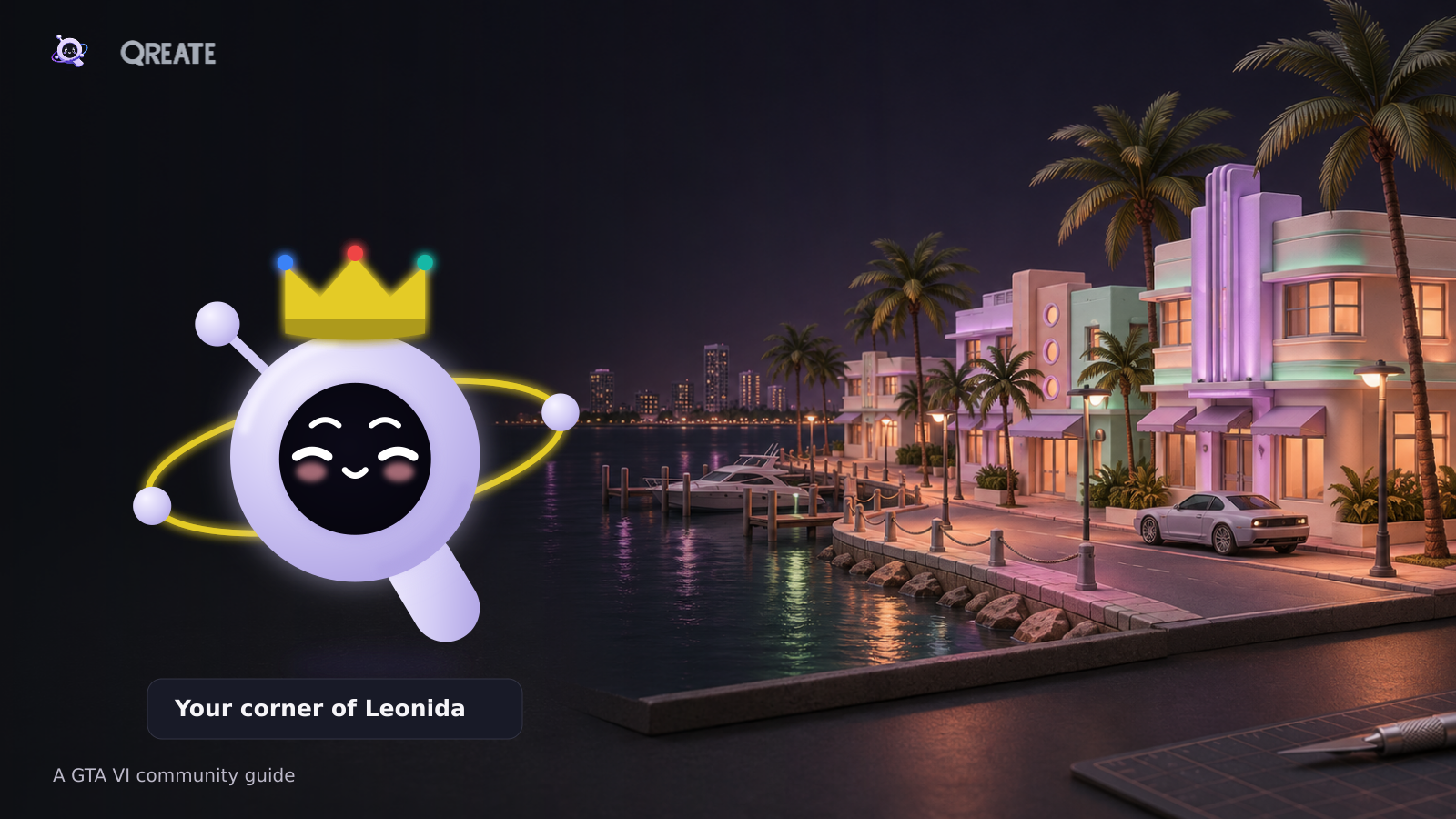
Your corner of Leonida
Qreate team · Checked 6 November 2026 · A practical guide for new and existing communities
Choose a GTA community theme, prepare channels and roles, and set up events and spoiler boundaries. This practical guide includes 32 requests to Q and a smaller setup for an existing Discord server.
A new Rockstar video goes live. Ten minutes later, your Discord has three copies of the same link, an argument about something in the background, and someone asking when they can download the game. An hour later, the chat goes quiet again.
There is plenty of room for a GTA community with a life between announcements. A group that builds its own field guide to Leonida, shares favourite cars, meets in voice, and gives people somewhere to discuss the story without spoiling someone else’s evening.
With Qreate, you can put the welcome, roles, events, daily questions and routine publishing in one workspace. This guide takes you through a proposed setup, with a smaller route for servers that already have their own people and habits.
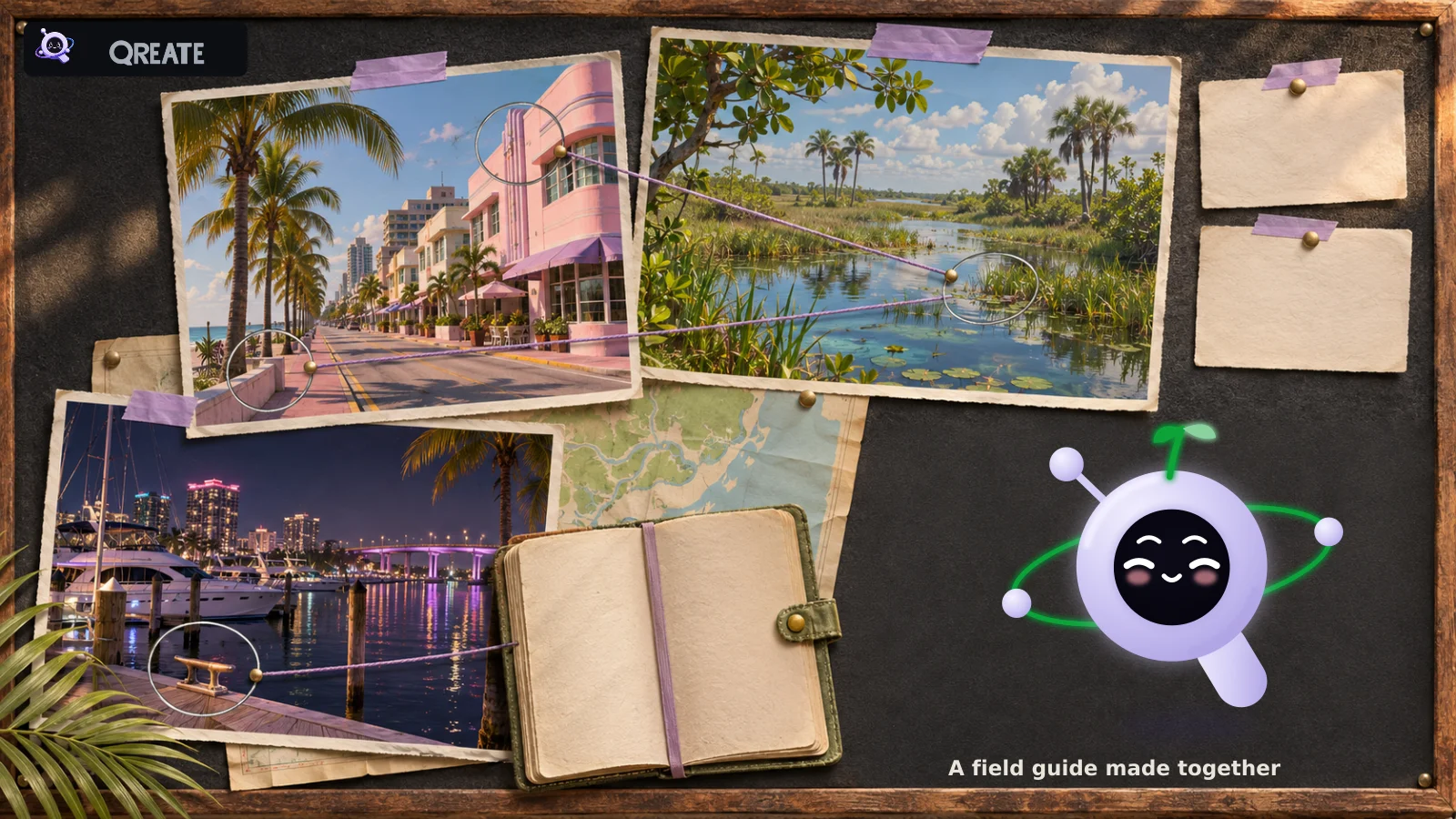
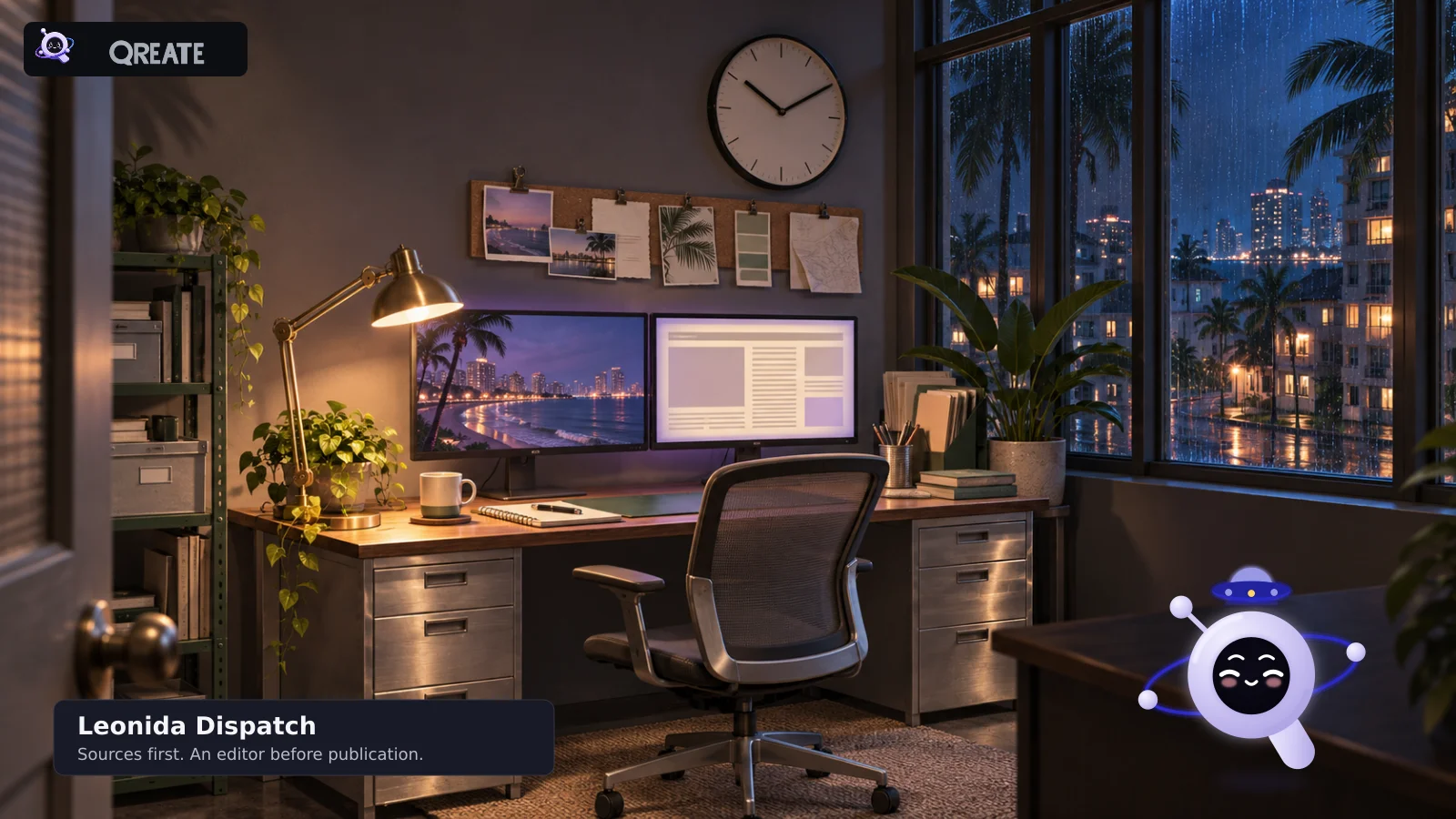
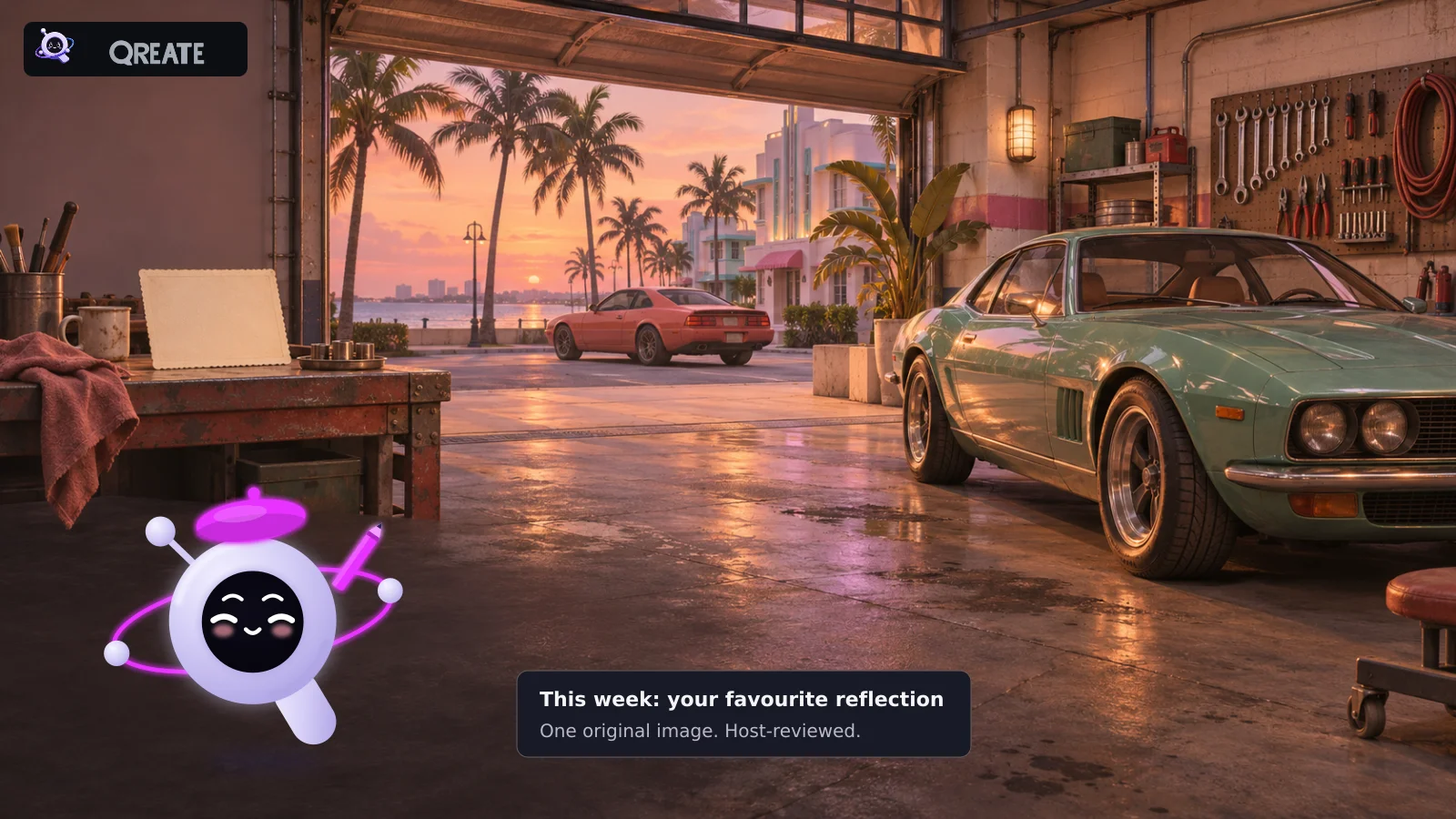
The Discord illustrations are editorial mockups of the proposed experience, not screenshots of a configured live server. The city, explorers board, garage and newsroom scenes are original concept illustrations. They do not depict verified GTA VI locations, vehicles or gameplay. The photographs inside the evidence board were also imagined for the illustration.
First, check the date with Rockstar
As of 6 November, Rockstar lists 19 November 2026 for GTA VI on PlayStation 5 and Xbox Series X|S. The story follows Jason Duval and Lucia Caminos in Leonida and Vice City. Official game page.
There are fresh reasons to get people together: the launch trailer arrived on 15 October, Rockstar announced pre-loading from 10 November on 3 November, and a new screenshot gallery followed on 5 November. The support article updated on 4 November specifies local midnight on PS5 and 00:00 GMT on Xbox Series X|S for pre-loading. An earlier announcement said 12 November. Use the updated information when setting reminders.
We are building a community around a single-player game. Playing alongside each other means everyone plays their own copy and shares the experience in Discord. Existing GTA Online activities get their own clearly labelled space. The official materials used here do not establish a PC release date, GTA VI multiplayer, crossplay or GTA VI RP support, so this guide does not depend on them.
1. Choose a theme for your GTA community
“A GTA VI server” tells someone the subject. A good invitation helps them picture what they will do when they arrive.
The Leonida explorers’ club
For people who take the wrong turn because the bridge looked interesting. Before launch, bring one observation from an official screenshot, with the source attached. After launch, share your own discoveries and choose a new theme each week.
Try a postcard week: one player, one original screenshot, one short story. Use Q of the Day to start conversations, Events for a regular meeting, and Starboard to surface popular posts. If you want a named weekly winner, appoint a host and publish the judging rules separately.
Ask Q:
Build a Leonida explorers club on my server using a field-notes forum, a weekly event, Starboard limited to public spoiler-free channels and themed Q of the Day. Prepare an opening activity using the official gallery, seven queued questions and optional Explorer and News roles. Inspect existing settings and plan limits first. Show the stages, permissions and sample messages, then wait for my approval.
Leonida Dispatch
A small newsroom for people who want to know what Rockstar actually announced. Keep official news in one channel and the conversation nearby. Give theories their own labelled threads.
Use Briefings for a concise digest of official sources, and Qonnect for new uploads from Rockstar’s official YouTube channel. Have a human editor handle disputed claims. A checked briefing does not automatically fact-check everything members post.
Ask Q:
Prepare Leonida Dispatch with a twice-weekly Briefing using official sources, the official Rockstar YouTube feed through Qonnect and a separate place for theories. Propose a Forms application with human review for recruiting editors. Keep news and theories clearly labelled. Show the first issue, application and permissions before activating schedules or publishing.
Vice City Motor Club
For cars, road trips and garage photography. Before launch, discuss vehicles visible in official material and favourites from earlier GTA games. After launch, set an individual photo assignment using a car the member has actually found in their own game.
A Motor Club role, a photo forum and a weekly conversation make a useful clubhouse. Organise current GTA Online meets in a separate lobby with the game version and platform specified. Label those events GTA Online so nobody expects a multiplayer meet inside GTA VI.
Ask Q:
Prepare Vice City Motor Club with an optional role, photo forum, weekly-theme poll and an event with RSVP. Before release, use official material and earlier GTA games. After release, propose an original-screenshot contest. Put existing GTA Online meets in a separate LFG lobby by version and platform. Preview the setup and contest rules, initially without cash prizes.
The first-playthrough club
For people who want to share the anticipation while keeping the story intact. Create a public conversation without story details, an opt-in story area, and a spoiler-free voice room.
Ask about small experiences: “What was your strangest non-story moment today?” Someone with twenty minutes to play can still join that conversation. They should not have to keep pace with the person who took a week off work.
Ask Q:
Prepare a GTA VI first-playthrough club with public spoiler-free chat, optional access to a separate story area and two voice rooms with clear spoiler rules. Add a daily question about non-story experiences and private reporting through Tickets. Exclude story channels from Starboard. Show the access rules and how to test them as an ordinary member.
Leonida After Hours
A smaller group for people playing after work. One weekly event, one shared chat, and a few familiar voices. Make the invitation specific: “Friday evening, first impressions of Leonida, no story spoilers.”
Use an event with RSVP, a reminder and a few questions between meetings. A short channel list suits this format. Most people came to talk, and forty empty rooms give them a surprisingly difficult choice.
Ask Q:
Build a compact Leonida After Hours for people playing after work: one chat, a Friday gathering at 20:00 Europe/Amsterdam, RSVP and a one-hour reminder. Add Temp Voice rooms for up to four people and a three-question introduction form. Confirm the date of the first Friday and preview the next event before activation.
The creative workshop
For video editors, photographers and people who want to write a fictional local newspaper. Before launch, discuss official material and plan formats. Afterwards, set assignments based on members’ own gameplay captures.
Forms & Applications can collect participation requests and team applications. Each assignment needs a deadline, clear requirements and a person reviewing the results. Label fictional newspaper stories as community creations so they never enter the news channel as game facts.
Ask Q:
Prepare a GTA content workshop with a portfolio forum, team application form, weekly creative brief and Starboard for approved public source channels. Ask for a creative format, example link and availability without unnecessary personal data. After staff accept an application, propose a Contributor role and a notification. Show each status action and distinguish automation from editorial review.
Our starting choice would be an explorers’ club with a carefully edited news channel. There is material to discuss already, and the format naturally grows into personal discoveries after release.
2. Set up your Discord channels and roles
Create your Discord server, open Qreate, sign in through Discord and connect the server you administer. Follow the onboarding flow to install the bot. The getting started guide covers the connection.
Begin with a compact structure:
| Area | Channel | Purpose |
|---|---|---|
| 🛬 Arrivals | 👋・start-here | Rules, role choices and the first useful action |
| 🛬 Arrivals | 📡・official-news | Verified updates, published by staff |
| 🌴 Leonida | 💬・city-chat | The main conversation, without story spoilers |
| 🌴 Leonida | 🧭・field-notes | A forum for observations and discoveries |
| 🌴 Leonida | 📅・meetups | Community events and reminders |
| 🌴 Leonida | 🔊・after-hours | Spoiler-free voice chat |
| 🔒 Story corner | 🚧・story-spoilers | An opt-in, access-controlled story channel |
| 🛠️ Back office | 🎫・help-desk | A public panel for opening private tickets |
| 🛠️ Back office | 🛡️・staff-log | A private staff log |
A category name does not set its permissions. Members should see the help-desk panel, while submitted tickets and staff-log stay restricted to the appropriate people. Check each channel’s access.
Enable Discord Community and complete Discord’s requirements if you want a forum. A text channel with threads is a reasonable smaller starting point. Forum tags such as Official material, Theory and Own discovery need to be configured and explained. Naming them here does not create automatic classification.
Using the requests to Q
Each concept and activity has a ready-to-copy request. Choose one, identify the server and attach any material it refers to. Include the seven questions with the queue request and the table with the calendar request. Q should not have to guess the contents of this article.
Q first checks the available features, plan limits and current setup. You then review and approve a specific stage. If an operation is available only in the dashboard, ask for the exact steps. Some setups need Pro or sufficient limits. Event dates should be checked against the actual calendar, and rewards stay inactive until their conditions are agreed.
The Mix labels explain which features take part. They do not imply that every action in one module automatically triggers another. Specify the trigger and action explicitly, leave contest judging to a host and check Discord after each stage.
Your first request to Q
Ask Q:
Help prepare my Discord server for GTA VI as a Leonida explorers’ club. Inspect the existing channels, roles and available features first. Use names in the style 💬・city-chat. Propose a compact setup for arrival, news, general conversation, a field-notes forum, events, voice, a separate story-spoiler area and support. Preserve existing channels and permissions unless we separately agree to change them. Break the work into small stages and show the first stage before applying it.
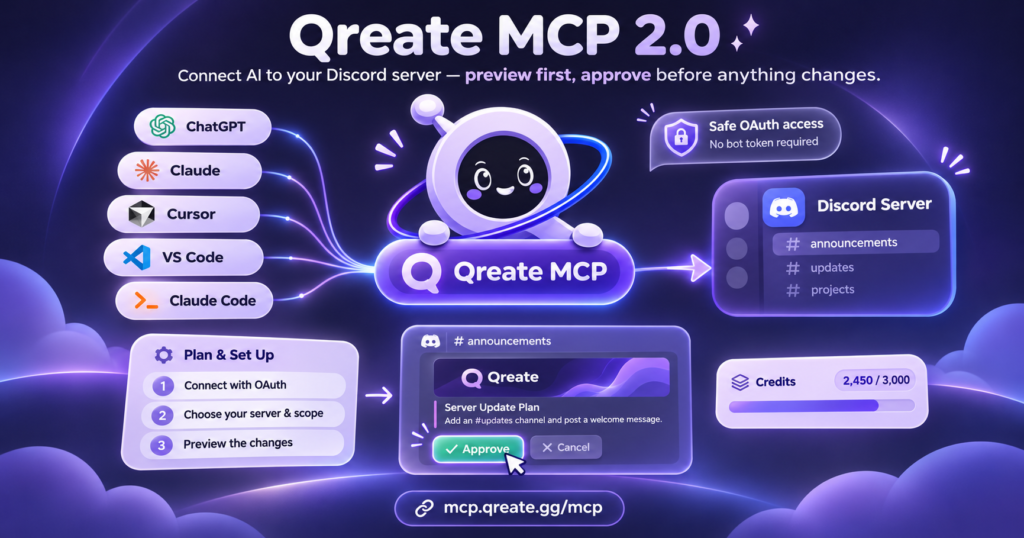
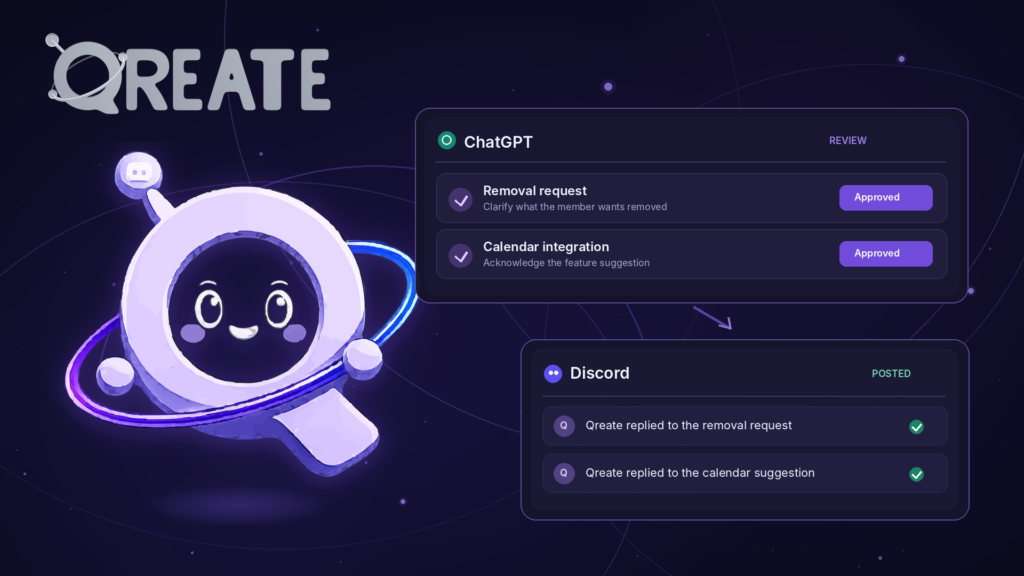
In Q Chat, describe the outcome, inspect the proposal and approve the specific changes. You can also configure the supported settings manually in the dashboard. Through a connected ChatGPT or Claude client, the process is plan, preview, confirmation and apply. Larger builds run in stages, and a standalone post gets its own message preview before publication. Build with Q.
After each stage, check Discord as an ordinary member. Can they see the right channels, send a message and use the panel? An administrator can see past several permission mistakes without noticing them.
3. Give a newcomer an easy first contribution
Someone opening start-here should quickly understand the place, choose what matters to them and find a conversation. A short welcome and two separate role panels are enough.
Welcome to Leonida After Hours. We’re getting ready for GTA VI, spotting odd details and sharing our own stories. Choose your platform and notifications below, then visit city-chat: where will you go first when you can explore freely?
For platforms, offer PS5, Xbox Series X|S and Following the news. The last choice includes people who are interested without owning the game. Add a PC-interest role if your audience needs one, with no release date attached.
For notifications, start with Official news and Meetups. Both are optional, and members can understand why they received a mention. Add more interests or regions when they become useful. Arrival should not feel like completing a census.
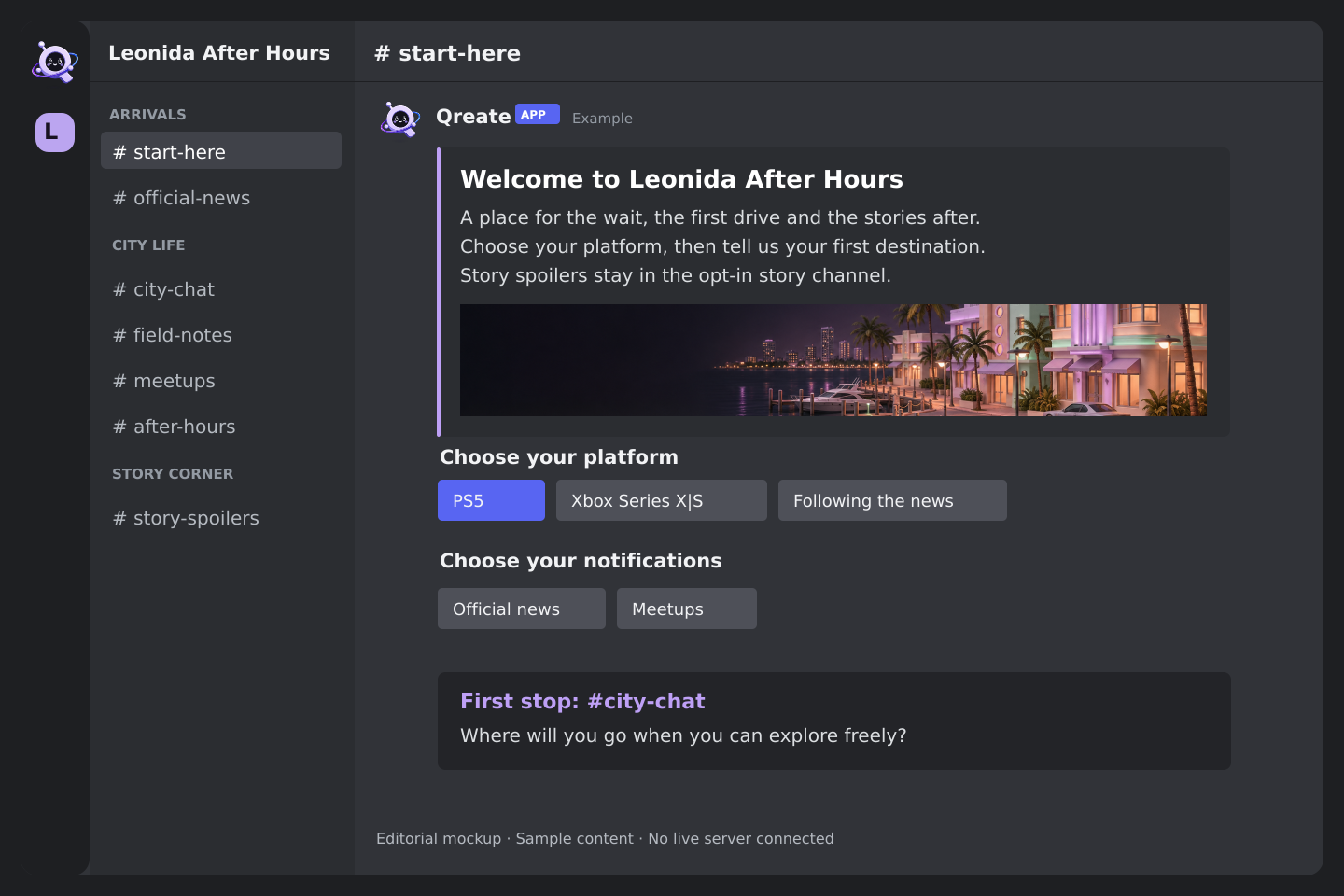
In Reaction Roles, choose the destination, target roles and controls. Buttons suit short lists, while select menus suit longer ones. Qreate’s highest role must sit above the roles it assigns. Publish the panel, use it with a regular account and check the resulting role.
Ask Q:
Prepare a welcome and two separate role panels: PS5, Xbox Series X|S or Following the news for platform, and Official news and Meetups for notifications. Use the existing start-here channel. Check role hierarchy, permissions and how members remove a choice. Preview the welcome and both panels before publication.
4. Sort out spoilers before the first night
A role called Spoilers hides nothing by itself. Configure the story category or channel so @everyone cannot View Channel and the optional Story spoilers role can. Check other roles and member-specific overrides that might grant access. Staff access needs its own deliberate setup.
Keep city-chat, official-news and the public voice room free of story details. Thread titles matter too. Once the game is available and its structure is known, use neutral progress labels such as “Discussion after chapter N”. Keep plot events out of titles.
Exclude the story channels from Starboard. Otherwise, a popular private discussion could be copied into a public highlights channel. Also review feeds, briefings and cross-posting routes.
This setup does not assume automatic recognition of every story spoiler. The working approach is clear access boundaries, understandable rules, a reporting route and attentive moderators.
Ask Q:
Inspect story-area access: @everyone must lack View Channel, optional Story spoilers must have access, and staff access is configured separately. Check other overrides that could expose it. Propose excluding these channels from Starboard and inspect news cross-posting routes. Show changes and a regular-member test. Delete nothing.
5. Publish news people can use
A news post should answer what happened and where the information came from. A headline, two useful sentences and the original link usually do the job.
Qonnect can announce new videos from the official Rockstar channel. Briefings can compose a recurring, source-checked digest. Scheduled Messages can publish a reminder you wrote ahead of time. Give each one the task it suits.
Try this editorial brief.
Ask Q:
Prepare a short GTA VI news briefing for official-news on Tuesdays and Fridays at 18:00 Europe/Amsterdam. Use official Rockstar Games and Take-Two publications. Include up to three meaningful updates with dates and source links. Separate new information from repeated stories. Exclude leaks and story details. If there is no confirmed news, do not fill the issue with guesses. Show the first issue and standing instruction before activation.
Confirm the source, subject, schedule and destination with Q. Review the first issue and its links. Approving the recurring setup authorises later scheduled issues under that configuration, so each subsequent post does not wait for fresh manual approval. You can pause the briefing. Briefings documentation.
Check that the available research setup can use the sources you chose. Keep an editor involved, particularly when an older announcement has been updated.
6. Seven activities worth replying to
One detail from an official image
Choose an image from Rockstar’s official gallery. Each person brings one easy-to-miss detail. The next reply should add a new observation. Separate what the picture shows from what someone thinks it means. The resulting thread becomes useful to read later.
Ask Q:
Prepare a One Detail activity: choose an accessible official GTA VI image and verify its source. Draft a field-notes post asking for one visible detail, with speculation labelled separately. Set a 48-hour discussion window and a separate reminder for the host to write a roundup. Do not assume automatic observation checking or rewards. Preview the post and reminder before publication.
The first-decision desk
Ask whether members plan to explore, follow the story or simply drive. Use Polls for the choice and invite people to explain their vote in the discussion. A vote opens the conversation. The explanation gives someone else something to answer.
Ask Q:
Prepare a 24-hour First Hour in Leonida poll with one choice per member: explore the city, follow the story or simply drive. Invite voters to explain their choice in the discussion. Check Polls support for duration and voting mode, use the existing general chat and avoid @everyone. Preview it and wait for publication approval.
A postcard from Leonida
After release, choose a weekly theme: reflections, signs, rain or questionable parking. Each member submits one original screenshot and a short caption, following your spoiler rules. Let people browse the entries. Starboard can highlight messages that reach the configured reaction threshold, while a host makes any editorial pick of the week.
Ask Q:
After release, prepare a seven-day Postcard from Leonida activity: one original spoiler-free screenshot and caption per member, themed around reflections. Propose a submission forum, Starboard with a three-reaction threshold limited to that forum and a reminder for the host to select a weekly pick. The host judges the result, and a Starboard appearance does not declare a winner. Prepare a cosmetic Photographer reward role for separate approval.
The prediction check
Before release, collect predictions based on official material: a favourite location, a small detail people expect to notice, or the subject of their first screenshot. Return to the thread after launch. A good follow-up post is a reward on its own. Add prizes only after defining how entries will be judged.
Ask Q:
Prepare a pre-launch prediction capsule using Forms: a favourite location from official material, an expected small detail and its source. If the current form supports a submission deadline, close entries before release. Otherwise, give the host a manual closing task. Schedule the discussion for one week after release. A host checks predictions, with no assumed connection to gameplay data.
The first-hour evening
Schedule a Discord gathering for 19 November, perhaps at 20:00 Europe/Amsterdam. Label this clearly as your community’s meeting time, not a claim about worldwide game unlock timing. People can attend without having the game installed. Nobody has to stream or play at the same pace.
In Events, set the date, time, channel and reminder. Keep one voice room spoiler-free. Use a separate access-controlled room for story discussion.
Ask Q:
Prepare First Evening in Leonida for 19 November 2026 at 20:00 Europe/Amsterdam. This is our Discord meeting time. Add RSVP, a one-hour reminder for the optional Meetups role and a link to a spoiler-free voice room. Propose a separate restricted story-discussion room. Show the event, reminder and permissions, then ask for approval before publication or schedule activation.
A shift at the news desk
Once a week, a volunteer chooses three interesting non-story discoveries from the community and writes a short roundup. Link to the original messages and credit their authors. Q can help draft it, while the editor reviews before publication. Members get to shape what the server pays attention to.
Ask Q:
Prepare a weekly editor shift with Forms for volunteers, human acceptance, an Editor role after acceptance and a Sunday reminder to collect three non-story discoveries. Ask for timezone and a short writing sample. The roundup must credit authors and link to original messages. A human editor reviews the final text before publication. Show the form, status actions and roundup template.
Back to Los Santos
While waiting for GTA VI, organise a session in the existing GTA Online. Use LFG for a clearly labelled lobby with a practical group size, platform and game version. Check compatibility for those versions. Calling the event GTA Online sets the right expectation.
Ask Q:
Prepare an evening in the existing GTA Online. First ask for game version, platform, date and group size. Then propose an LFG lobby, an event with RSVP and Temp Voice with its own entry voice channel. Check version compatibility and keep GTA VI discussion separate. Members enter the voice lobby themselves, without assumed automatic transfer from LFG. Preview the complete setup before activation.
7. Give Q a subject for questions
“Make the chat active” leaves out the interesting part. A useful question gives someone a small choice or a story they can tell.
Q of the Day creates a public discussion thread for each question. Open Q Hub → Q of the Day → Add a stream, choose a destination, a themed question source, days, time and timezone. Use Show a sample, then save and activate the stream. The bot needs permission to create public threads and send messages inside them. Q of the Day documentation.
Queue your first questions yourself to establish the tone:
- What ordinary life will you lead in Leonida when you forget about missions for an hour?
- What would make you stop the car for a screenshot?
- Which detail from an official image do you want to investigate after launch? Bring the source.
- Your first route: city, coast or a random turn? Why?
- Which tiny detail from an older GTA has stayed with you?
- What should a GTA Discord offer someone who only plays after work?
- Which of our conversations deserves to become a weekly tradition?
Free supports one Q of the Day stream, which is enough for a small community. Pro supports additional streams. Start with the main conversation and choose a time when a host can answer the first replies. If questions go unanswered, revisit their subject, timing or frequency.
Begin with themed questions. Enable server-aware questions deliberately, choosing suitable public channels. They use recent messages from the selected channels. Private story discussions do not need to be part of that setup.
Ask Q:
Prepare themed Q of the Day in city-chat on Mondays, Wednesdays and Fridays at 19:00 Europe/Amsterdam. Queue the seven questions from this section first, then use exploration and community questions without story details. Keep server-aware mode off initially. Check public-thread creation and thread messaging permissions. Show a sample and schedule before Save and activate.
Nine more mixes to give the server its own life
Choose one or two for your next stage. Resident cards, an assignment desk and a city council are community concepts assembled from existing Qreate features. They are not separate built-in GTA VI modules.
A Leonida resident card
Mix: Introductions + Reaction Roles + Verification + Automations. A short resident card asks for a nickname, usual play time and what the member wants to discover. Platform and notification choices use separate role controls. Successful verification can trigger a Member role and a staff log. The card introduces someone to the community. It does not verify their age or game ownership. See Introductions and Automations.
Ask Q:
Prepare a Leonida resident card in Introductions with nickname, usual play time and an interest. Add separate optional platform and notification roles. Inspect the current Verification setup. Propose a rule on successful verification: if Member is missing, grant it and write to the private staff log. Do not invent an introduction-submitted trigger. Preview the fields, card and rule before activation.
The assignment desk
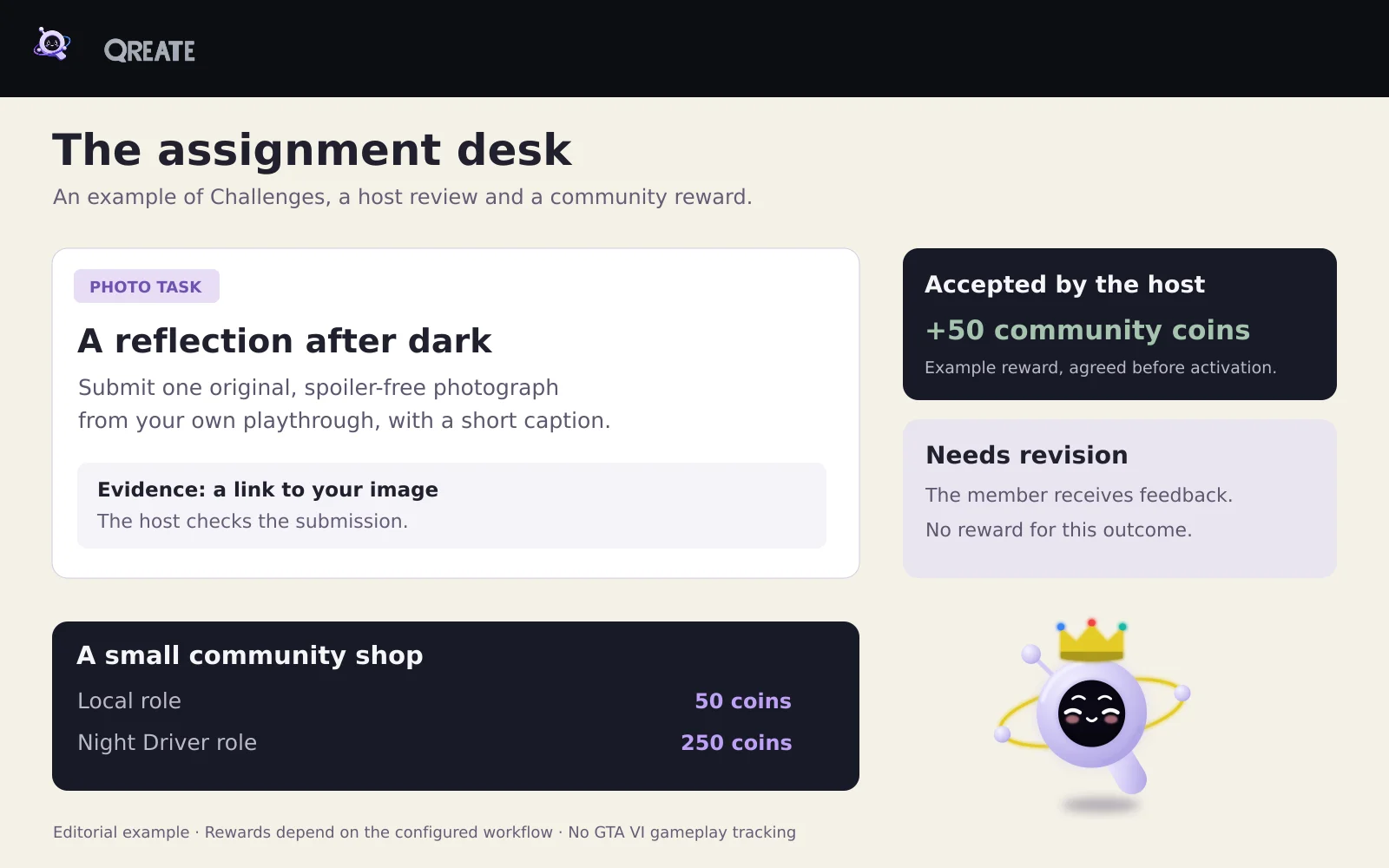
Mix: Challenges + outcome rewards + Shop. A member accepts a creative assignment, such as an original spoiler-free image themed around a night-time sign. A host reviews it and records the outcome. Challenges outcomes can control rewards and result posts. Check the available reward and repeat-entry settings for the chosen workflow. Qreate does not watch GTA VI gameplay. Challenges guide.
Ask Q:
Propose an Assignment Desk in Challenges with three post-release photo tasks, an evidence-link field and Accepted and Needs revision outcomes chosen by the host. Propose 50 server coins for an accepted result and no reward for revision. Check support for these outcomes, rewards and repeat-entry restrictions. Show how the host reviews submissions and prevents a second reward for the same work. Wait for approval before activation.
Club coins and a small shop
Mix: Reputation + Shop + Achievements. Thanking a helpful member can grant reputation and coins. Spend coins on cosmetic roles and use a reputation threshold for a milestone achievement. Our proposed starting prices are 50 coins for Local and 250 for Night Driver. These are example settings for the community economy, with no connection to money inside GTA. See Reputation, Shop and Achievements.
Ask Q:
Prepare a community economy: a thank-you grants 1 reputation and 10 coins, with three thank-yous per day and a 12-hour cooldown for each member pair. Add cosmetic Local and Night Driver roles to Shop for 50 and 250 coins. Propose a Neighbour achievement at 5 reputation if supported by the current achievement conditions. Show prices, limits and reward actions. Roles must have no administrative permissions. Wait for setup approval.
Your own room for the evening
Mix: Events + LFG + Temp Voice. An event sets the time, LFG helps assemble a group, and joining the voice lobby creates a temporary room. Temp Voice cleans it up after it empties according to the configuration. These are separate steps. Clicking RSVP does not imply automatic voice-room assignment. Temp Voice guide.
Ask Q:
Prepare After Hours rooms with a dedicated entry voice channel, a Room {user} naming template, a four-person limit and cleanup after everyone leaves. Check Manage Channels and Move Members in the category. Add a separate LFG lobby for existing GTA Online. Keep GTA VI rooms for discussing individual playthroughs. Show members the steps from the event to LFG and the voice lobby.
Let the city council choose next week
Mix: Suggestions + Polls + Events. Members suggest next week’s activity. Staff shortlist workable ideas, run a final poll and separately prepare an event based on the result. Ideas and decisions remain visible instead of disappearing into chat. This does not assume automatic event creation from the winning suggestion. Suggestions guide.
Ask Q:
Prepare City Council with Suggestions for activity ideas, host roles for review and a weekly reminder to shortlist three workable ideas. Draft a 24-hour final poll template. Staff review the votes and choose the activity. In a separate second stage, propose the event draft with its own preview and approval. Keep suggestions separate from support requests.
Recruit an editorial crew without losing applications
Mix: Forms + Calendar + status rules. After reviewing an application, staff can arrange a short meeting. An accepted status can trigger a role grant, notification or channel message. The editor makes the acceptance decision. Status rules avoid running the same transition twice. Forms and Calendar.
Ask Q:
Prepare a Leonida Dispatch application asking for contribution format, an example link and availability. Keep responses staff-only. Use New, In review, Accepted and Declined statuses. For Accepted, propose a Contributor role and a direct notification. Grant no access at other statuses. Include arranging a meeting through Calendar. Show status rules and who may change status. Grant no moderation or administration permissions.
Invite people who will stay
Mix: Invite competition + invite milestone roles + Logging. Reward retained invites using stay and account-age filters. Our example grants Ambassador after three eligible invites. These filters do not prove engagement or that a person is unique. Uncertain invite attribution is excluded, and earned milestone roles are not revoked. Invite competition guide.
Ask Q:
Propose a small invite campaign: count invitees after seven days in the server, with accounts at least 30 days old, if those values are supported. Grant a cosmetic Ambassador role after three eligible invites. Explain early-leave count revocation, uncertain attribution and retention of an already earned role. Do not imply a separate engagement reward. Show the plan first.
Make server support part of the club story
Mix: Supporters + Reward Packs + Reputation or Achievements. Build a thank-you, cosmetic role and rewards for support milestones such as 7 and 30 days. A grace period accommodates a brief billing lapse. Removing a temporary role and retaining already awarded coins, reputation and achievements follow different rules. These rewards recognise Discord support and grant no in-game privileges. Supporters guide.
Ask Q:
Propose a Supporters pack with a City Patron role, a restrained thank-you in a dedicated channel and milestone rewards at 7 and 30 days. Use the currently supported Reward Pack types and show their module dependencies. Propose a three-day grace period if available. Explain temporary role removal and permanent reward retention after support ends. Do not backfill already passed milestones.
A help counter and an opening giveaway
Mix: Custom Commands + Tickets + Giveaways. A help command returns spoiler rules and links to roles, events and support. A giveaway is separate and needs a real prize supplied by the owner. Giveaways support eligibility requirements and bonus entries. Our example uses no bonus weights, so eligible entrants have equal weight. See Custom Commands and Giveaways.
Ask Q:
Prepare a leonida help command with a short embed linking to roles, events, spoiler rules and Tickets. Check the actual Custom Commands invocation method and show it precisely. Separately draft a 48-hour opening giveaway with one winner, button entry and no bonus weights. Ask for the real prize and eligibility conditions first. Keep the giveaway inactive until the prize and terms are agreed.
8. Add a GTA 6 area to an existing Discord server
An established server has people, history and habits worth keeping. GTA VI can give those people another reason to meet.
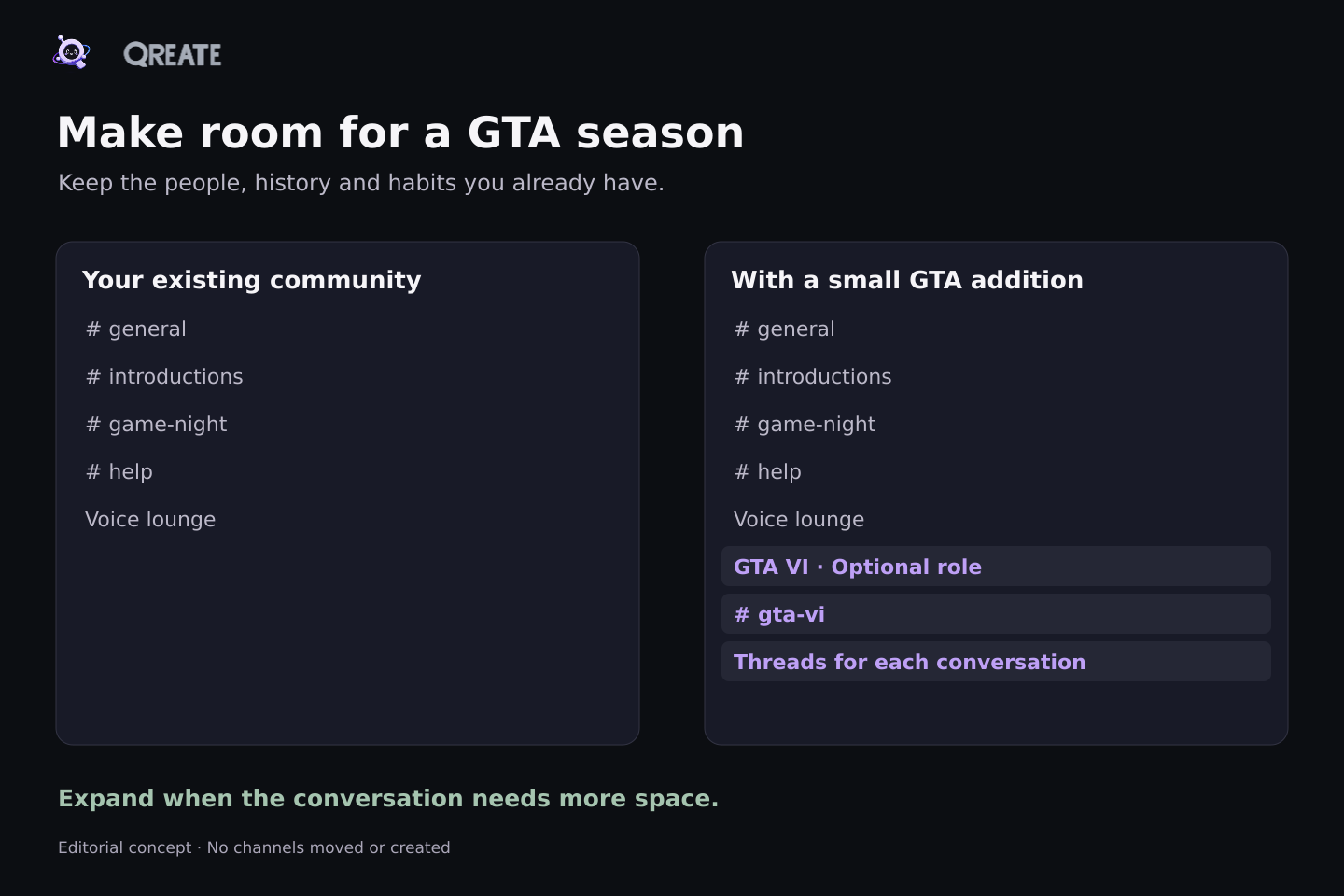
The smallest useful addition is an optional GTA VI role, one text channel with threads, and a gathering in your existing voice room. Your welcome, support and moderation processes can continue.
Expand to a category with general conversation, a discoveries forum and a restricted story channel when there is demand. Send GTA news mentions only to subscribers. Add rooms when an existing conversation needs more space.
Ask Q:
Inspect my existing server and propose a small GTA VI area using its current naming style. Start with an optional GTA VI role, one text channel with threads and a meetup in the existing voice room. Preserve current channels, history, permissions, welcomes and automations. Show the new objects and permission changes required. Propose an opt-in spoiler area as a separate next stage. Apply nothing before I review the plan.
If another bot already handles welcomes or roles, decide which system owns each process. Test the replacement before disabling the corresponding old flow. Two simultaneous welcomes make it look as though the administrators have yet to meet each other.
After a week, check whether people choose the role, reply in threads and attend the gathering. A quiet response is a reason to try a different activity while keeping the section small.
9. A practical run-up to release
This is an editorial schedule for a team starting on 6 November. Choose times for your audience. If you are reading later, begin with the next relevant step.
| Date | Team action | What members receive |
|---|---|---|
| 6 Nov | Choose the concept and build the basics | A clear invitation and working arrival |
| 7 Nov | Test permissions and role panels | Platform and notification choices |
| 8 Nov | Host an official-image discussion | An easy first contribution |
| 9 Nov | Open registration for launch evening | A known meeting time and voice room |
| 10 Nov | Share the updated pre-load information | A current Rockstar link and timezone note |
| 11 Nov | Run the first-route poll | A way to meet people through their plans |
| 12 Nov | Publish spoiler rules and test access | Clear boundaries for story discussion |
| 13 Nov | Discuss the latest official gallery | A hosted conversation around the images |
| 14 Nov | Hold GTA Online or Discord social night | A first small shared event |
| 15 Nov | Choose community highlights | Credit for members’ contributions |
| 16 Nov | Preview a post-launch photo assignment | A reason to return after release |
| 17 Nov | Check links, schedules and staff cover | Less confusion on launch day |
| 18 Nov | Send one reminder to subscribers | An easy route to tomorrow’s gathering |
| 19 Nov | Host launch evening and help newcomers | People to share the first day with |
Several rows are internal team work. They do not all need an automated announcement. Publish news when there is news, questions on the chosen schedule, and reminders for real events.
Ask Q:
Turn this calendar into a team plan after rechecking current Rockstar dates. Separate internal host tasks, Scheduled Messages with prewritten text, source-checked Briefings and Events for gatherings. Do not post every internal task. For public items, propose copy, channel, time and an optional subscriber role. Preview the list without activation.
Give the community a visual home
Choose one visual theme: a night-time city, field notes or a clubhouse garage. Keep the typography and restrained accent consistent across news, questions and event posts. A short GIF can show a newcomer the proposed experience.
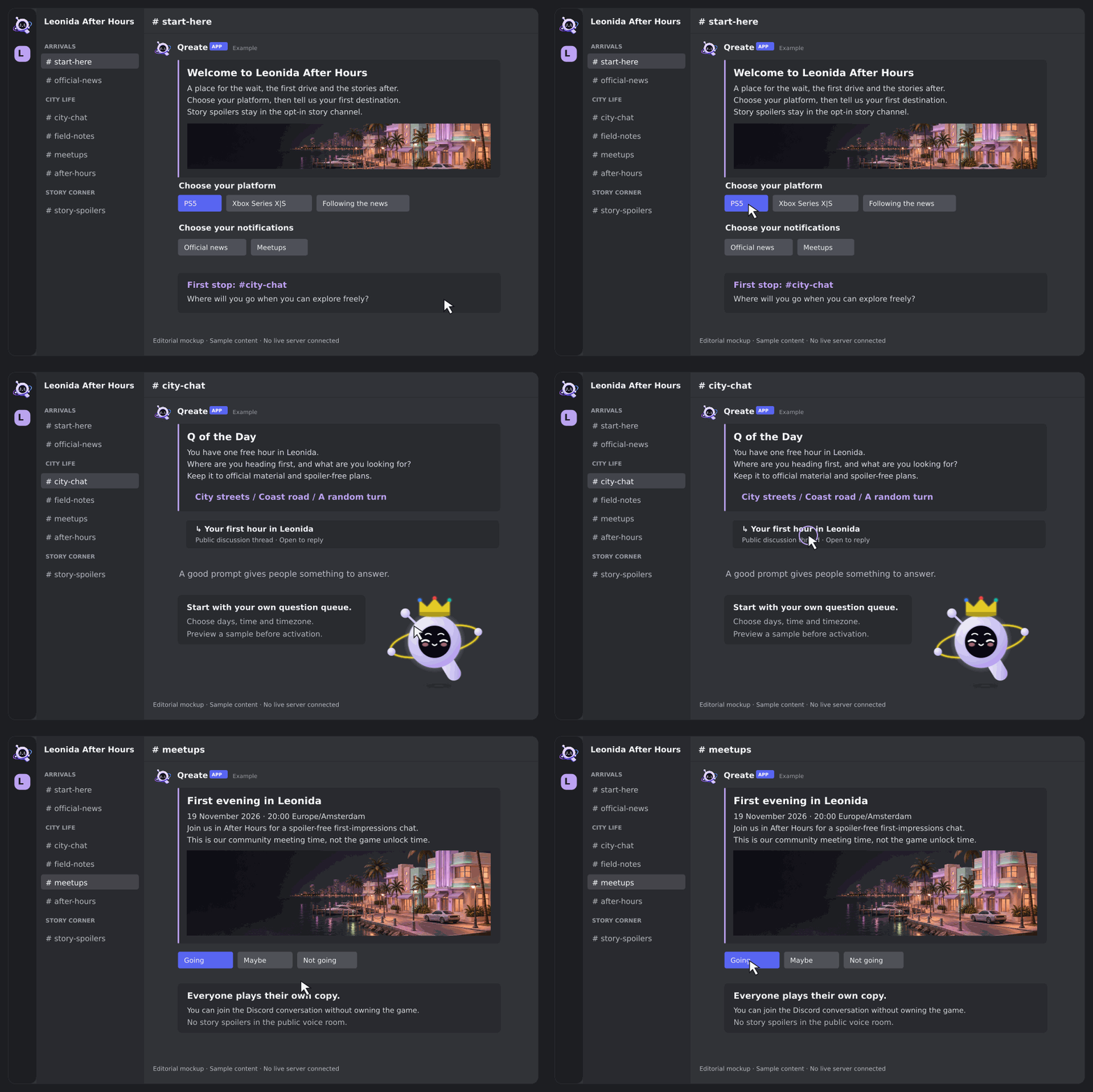
This is a sequence of illustrative mockups. The cursor and clicks are simulated, and the GIF is not a recording of a working server. The pack also includes an 800 × 200 image banner for a Discord message.
Upload prepared PNG and GIF assets to Qreate for supported messages and panels. Image generation inside Qreate is currently disabled. The coastal illustration for this article was made separately, with official Qreate characters and the wordmark placed from their original assets. An administrator sets the server icon and native server banner in Discord.
Ask Q:
Help use my uploaded artwork for the GTA community. Choose images for welcome, daily-question and event messages, keep a restrained consistent accent and use available official custom emojis. Check PNG or GIF format, size and message previews. Do not generate a new logo or characters. Leave the native server icon and banner for the administrator to set manually.
10. Prepare for the people arriving
Write rules covering spoilers, advertising, fake downloads and early-access claims. Offer private reporting through Tickets. Configure spam and mass-mention protection in Moderation, assign staff permissions and choose a log channel. Test the setup with harmless examples.
Keyword filters cannot recognise every scam or spoiler. Staff need to handle new patterns and disputed cases. Connected AI clients cannot use Qreate to ban or kick members or delete messages. Moderators use their authorised tools directly in Discord or the dashboard. Moderation guide.
Keep administrative permissions out of ordinary game-interest roles. Test arrival as an ordinary member, and never ask for game-account passwords to enter a community activity.
Ask Q:
Inspect launch readiness for the GTA area: Verification, Rules, spam and mass-mention protection, Tickets and private logging. Show current settings and proposed changes, including the exact staff roles. Keep game-interest roles out of administrative access. Propose a harmless test. Do not perform bans, kicks or message deletion through the AI connection.
11. After launch, look for returning names
People may spend less time on Discord once the game is available. Offer things they can join briefly: one screenshot, one question and one gathering at the weekend.
In Analytics, compare message volume and joins with leaves over adjacent periods. Metrics use UTC days. Separately review discussion participants, event responses and names that keep returning. This guide does not assume a ready-made newcomer activation report.
If Q is the only one posting, hosts need to join the conversation. If people reply to each other and bring their own subjects, keep those formats running and build from there.
Ask Q:
Compare available Analytics for the last seven days against the previous seven: messages, joins and leaves, using UTC metric days. Separately suggest what hosts should review manually in event responses and discussions. Propose one format change for next week. Do not invent individual newcomer-retention reporting if it is unavailable.
Your first step today
Open Qreate and ask Q for a small first stage: arrival, optional roles and one conversation channel. Review the proposal, approve the changes you want and walk through the experience as a new member.
Then invite a few people to a particular evening. A conversation about a favourite trailer detail gives someone a clear reason to come. By the time they first drive into Leonida, your community will already have a few stories of its own.
Sources and verification
Game and product information checked on 6 November 2026. Community concepts, channel names and the calendar are Qreate team’s proposals. GTA VI and Rockstar Games belong to their respective owners. This is an independent fan-community guide with no claim of affiliation with Rockstar Games or Discord.
- Rockstar: GTA VI and release date
- Rockstar: platforms, editions and pre-loading, updated 4 November
- Rockstar: launch trailer, 15 October
- Rockstar: launch gallery
- Rockstar: people and places
- Qreate: Build with Q, role panels, Q of the Day, Briefings, Events
- Qreate: Starboard, LFG, Forms, Moderation, Analytics
- Qreate: additional features, Automations, Reputation, Shop, Achievements, Challenges, Temp Voice, Suggestions, Invite competition, Supporters, Custom Commands, Giveaways